2011-05-01

Ubuntu billboard spotted on Highway 101

Mauricio SuescĂșn was taking a cruise along the101, San Francisco Bay Area, when something familiar looking caught his eye.


Breaking all kinds of safety laws he whipped out his camera and caught the ad for posterity/proof and uploaded it to YouTube…


Mauricio SuescĂșn via OMG! Ubuntu! Facebook

No related posts.


Source

Follow Ubuntu 11.04 reactions in our information Hub (update: back on)

Come Ubuntu release day, there’s so much stuff happening it’s often hard to keep track. There are new articles popping up on OMG! Ubuntu! throughout the day, reactions on Twitter and Identica, friendly banter and speculation in the #ubuntu-release-party IRC channel and constant refreshes of www.ubuntu.com to see if the release is, in fact, released.
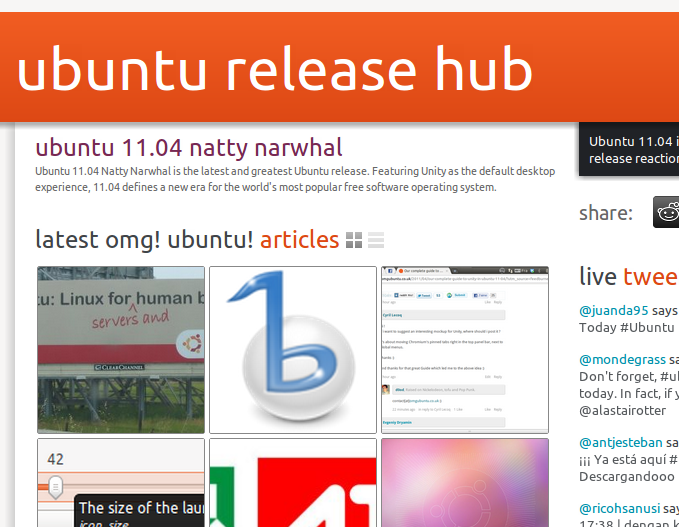
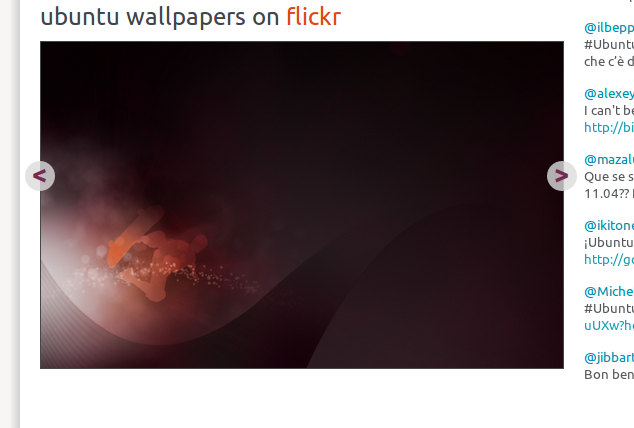
Well we’ve taken all of this goodness and put it into what we’re dubbing “The OMG! Hub.” Let me introduce you.

So what does it do?


Well we’ve taken all of this goodness and put it into what we’re dubbing “The OMG! Hub.” Let me introduce you.

Head on over to omgubuntu.co.uk/hub/natty and you’ll be greeted with a customizable landing page full of aggregated information such as…
  • The latest OMG! Ubuntu! articles
  • Release reaction tweets and dents from the #ubuntu or #natty hashtags
  • The coolest Ubuntu wallpapers from Flickr
  • An embedded IRC webchat hooked up to #ubuntu-release-party and #omg!ubuntu! for you to get your groove on.


Nifty, huh?

The best thing is that each module is movable and saved in a cookie – so if you want webchat at the top of the page, simply drag it up there. Don’t care so much for tweeters? Move the Twitter stream down the page.

This system was designed by me way back at the end of last year to be used as an Ubuntu Developer Summit hub for UDS-N last year. Unfortunately we never got around to building it until our wonderful web developer Richard Lyon joined the Ohso team last month.

We’re giving the system a bit of a test run today to see how it copes.


But all this for 2 days a year?


The real purpose of The Hub is to serve attendees and remote participators at open source conferences like the Ubuntu Developer Summit, DebConf, Linux.conf.au, GNOME summits and more, making their life that much easier during what is normally a very busy time.

Look out for The Hub throughout the year – but in the meantime, we’d love it if you could check it out and tell us what you think. As usual, the best place is on Get Satisfaction – but we don’t mind if you just want to post something in the comments below.

Plans for the future


The Hub is very much alpha software right now, and amongst bug fixes we have the following features to add over time:
  • Redesigned IRC webchat
  • Session schedule module with localized times
  • Video module
  • Gobby/Etherpad document tracking
  • Session reminders

Enjoy, and don’t forget to share it with your friends!

No related posts.


Source

Ubuntu 11.04 released, reviewed

It’s finally here: Ubuntu 11.04 is available for download.

button

The “big talking point” of this release has been the switch from the traditional GNOME desktop to Unity – Canonical’s (originally) netbook-orientated interface.


Sporting a left-sided launcher, slick new ‘lenses’ for application browsing and launching, putting ‘application menus’ in the desktop panel, and retiring the traditional notification/system tray area,  it’s all too easy to feel scared or uneasy about switching to Ubuntu 11.04.

But don’t.

The interface has been designed by experts; the interface has undergone user testing and the features implemented are designed to make using your computer easier, not harder. Sure it’s different – but different doesn’t mean bad; the best thing to do is to give it a chance.

If you’re coming to Ubuntu without baggage then welcome aboard – you’re going to love your journey!

New Features


With an entirely new interface present in Ubuntu 11.04 listing all of the ‘new features’ present would be an exhaustive task. We put together a neat over-view page of Unity that better explains many of the key new features in detail.

You can read that @ omgubuntu.co.uk/natty

Software


As usual Ubuntu ships with a tonne of software pre-installed. There are a few changes to the line-up over the previous release of Ubuntu, but nothing too drastic.

For office-suite needs Ubuntu comes with the Microsoft Office compatible LibreOffice suite. This is a capable suite of applications that, whilst not blending with the native look of Ubuntu too well, remain a desktop must-have.

Shotwell photo manager and editor is present. Recently updated the application lets you ad, tag and sort your photos easily. Of note is the social network publishing support for Flickr, Facebook, etc. This works flawlessly once set up.

As with releases past all users are eligible for 2GB of free Ubuntu One cloud storage. Setting up and managing this feature is made much easier in Ubuntu 11.04 thanks to the streamlined, albeit OS X-esque ‘Ubuntu One Control Panel’.


The default music player is now the insanely popular Banshee media player. This puts integrated Amazon MP3 and 7Digital music stores right on your desktop, provides Sound Menu integration and, to be superficial, finally gifts Ubuntu with a modern, looking music player.

The Ubuntu Software Centre is available, making installation of thousands of apps available via ‘one click’. New to the store in 11.04 is the addition of user-submitted application ratings and reviews. A much longed for, and very helpful, aid in deciding whether something is worth installing or not.

The default browser has been bumped up to Firefox 4; Evolution remains the desktop e-mail application of choice; and

Conclusion


Ubuntu 11.04 with its new interface is certainly what many would call a ‘game changer’. Making better use of screen space, intuitive interface layouts and, most importantly, making a desktop that works for the user and not in spite of them.

Ubuntu was once dubbed ‘Linux for human beings’. Spend a few minutes using Unity and that slogan will never have sounded truer.


Source

10 things to do after installing Ubuntu 11.04

So you’ve downloaded or upgraded to the latest release of Ubuntu – the nominal Natty Narwhal – but what now?

As is now tradition around these parts, we present you with a list of 10 post-install tips/ideas to make your time with the Narwhal less of a splash in the deep end and more of a serene swim…


1. Read about the new features


Ubuntu 11.04 comes with so many new features and tricks that it’d be all-to-easy to miss some out. So we’ve put together an awesome primer guide on Ubuntu 11.04 for those new to Unity.

Check it out at omgubuntu.co.uk/natty

2. Run Update Manager


Even the Ubuntu team isn’t perfect – and chances are there may have been some last minute updates added to Ubuntu after the ISO you downloaded was built.

Run Update Manager by searching for it in the Dash and you’ll be sure to have the most up-to-date minty fresh version of 11.04

3.  Install restricted extras


Due to legal reasons, Ubuntu can’t ship things like patent-encumbered codecs for playing back things like MP3s, .WMV videos or encrypted DVDs.

Thankfully, the Ubuntu installer lets you check an option during install that adds at least some of these missing codecs to your system.

If you didn’t check the ‘Install 3rd party codecs/restricted drivers’ during the installation of Ubuntu 11.04 then these steps are important for enabling all of the “not-shipped-ware” that provides you with a comfortable, stress-free time in Ubuntu.
Graphics

Ubuntu should automatically detect and alert you that 3D drivers are available. If so, you will see a ‘circuit board’ icon appear on the top panel. Click this and follow the prompts.

If Ubuntu fails to alert you (be patient as this isn’t always instant) then you can manually run it by opening the Application Lens and searching/browsing for ‘Hardware Configuration Tool’.
Codecs & restricted formats

“If music be the food of Gods, then play on!” wrote Shakespeare. I’m guessing that whilst you’re (probably) not a god you still enjoy your music almost as much as your food.

MP3, M4a and a variety of other codecs can be installed in Ubuntu 11.04 with one click: -

image

4. Grab some useful indicator-applets


Ubuntu 11.04 Unity dispenses with the traditional GNOME desktop panel and notification/system-tray area. This means familiar/favourite applets – such as CPU guages, move eyes or panel-bound bloggers – can no longer be used.

But not to worry!

There are a tonne of much-more-useful and much-more-consistent Indicator Applets available. You can add everything from Weather applets, RSS readers and Clipboard managers to timers, screen-saver inhibiters and system monitors.


See ‘The OMG! Ubuntu! guide to awesome indicator-applets’ for screenshots, info and installation instructions for over 16 indicator applets.

5. Find more apps in the Ubuntu Software Center and swap out the defaults


‘One size doesn’t fit all’ is an over-used, albeit spot on, adage; If Banshee isn’t music to your ears; PiTiVi is too basic for your movie-making needs; or you’re intimidated by LibreOffice’s arsenal of apps then Ubuntu makes it easy to find and install alternatives.

Popular choices include:
  • OpenShot for an ‘iMovie’ style video editor
  • AbiWord for a simple, lightweight word processor
  • Thunderbird e-mail application
  • Chromium web browser in place of Firefox 4
  • Pidgin in place of Empathy

Don’t know how to install apps using the Software Center? Watch this video:


6. Swap the interface

Classic GNOME in Ubuntu 11.04

Not a fan of Unity? Don’t fret. You can use the “Classic Ubuntu” desktop by selecting it at login time.
  1. Log out to the login screen
  2. Click on your name
  3. Look for the session menu at the bottom of the screen
  4. Change it from “Ubuntu” to “Ubuntu Classic”
  5. Click log in.

natty classic-w1000
Unity 2D – a Qt built alternative to Unity

Unity 2D is available for users who fail to meet the graphics requirements. It’s light, responsive and boasts many of the same features as its elder sibling.

downloads
GNOME 3 / GNOME Shell in Ubuntu 11.04

Gnome 3/Shell is available via PPA, although use of it does break Unity – so add it only after due consideration!

7.  Set up Ubuntu One file sync


Ubuntu One provides all Ubuntu users with 2GB of free online storage space that allows you to back up and sync any files or folders you wish, along with your Firefox bookmarks, Tomboy notes, Evolution contacts and Ubuntu Music Store purchases between computers.

Click the Ubuntu One icon on the Unity Launcher to get started.

8. Follow the reactions to Ubuntu 11.04 in OMG! Ubuntu!’s new “Hub”


Come Ubuntu release day, there’s so much stuff happening it’s often hard to keep track. There are new articles popping up on OMG! Ubuntu! throughout the day, reactions on Twitter and Identica, friendly banter and speculation in the #ubuntu-release-party IRC channel and constant refreshes of www.ubuntu.com to see if the release is, in fact, released.

Head on over to omgubuntu.co.uk/hub/natty and you’ll be greeted with a customizable landing page full of aggregated information such as…
  • The latest OMG! Ubuntu! articles
  • Release reaction tweets and dents from the #ubuntu or #natty hashtags
  • The coolest Ubuntu wallpapers from Flickr
  • An embedded IRC webchat hooked up to #ubuntu-release-party and #omg!ubuntu! for you to get your groove on.

9. Nautilus-Elementary


It’s a hit with many, many users and it’s back for Natty. Whaddam I talking about? Nautilus-Elementary of course! The sexier, less confusing file manager that strips strip out some of the visual-bloat accompanying stock Nautilus in Ubuntu.

Add it via PPA following the instructions here.

10. Finally…


Finally, to end on a corny note, take some time out to just enjoy using it. Forget about finding and installing new apps or tickling Natty for an hour or so and just use Ubuntu like anyone else would: check Facebook (or Diaspora!) in Firefox, chat to your mates on Empathy, type up that letter in LibreOffice and listen to some music in Banshee.

Ubuntu 11.04 is a bold upgrade from 10.10, so be sure to take some time to get used to it as it comes before changing anything major. You might fear missing a certain application or feature, but most of the changes have happened for a reason: to make Ubuntu easier to use.

And, make sure you tell your friends about Ubuntu, of course!

Pssst!


Whilst we are at it why not subscribe/fan/follow us here at OMG! Ubuntu! to find out about the latest news, cool applications, tips, tweaks, gorgeous themes and wallpapers and a healthy side-serving of opinion and bad jokes? C’mon, you know you want to.


Source

Using elementary OS (or other Ubuntu derivatives)? Don’t upgrade to Natty!

If you’re a user of an Ubuntu-based distribution such as elementary OS, be sure to check before doing a software update or clicking anything marked “upgrade” – it could break your system!

Elementary OS


A notice posted on elementaryOS.org said the following:

… users of elementary OS Jupiter may be prompted to upgrade to Ubuntu 11.04. We strongly urge you not to do so [...] because the upgrade process may render your install unusable.
This advice could apply to many Ubuntu-derivative operating systems such as Linux Mint, so check the website of your chosen distribution before going through the dist-upgrade process.

Why is this an issue?


Natty bought a whole host of new features to the Ubuntu desktop experience, and most likely it’s changes stemming from Unity that will cause issues for distros expecting a fairly clean Gnome 2 setup available.

Issues aside, we reviewed elementary OS Jupiter when it was released a month ago.

Had any issues with the upgrade process? Post in the comments below.


Source

Become a Natty power-user in no time using this Unity keyboard shortcuts wallpaper

With Unity installed and all set-up (see our list of ten things to do after installing if you’re at a loss) it time to get ‘comfortable’ in your new surroundings.

This Unity Shortcuts wallpaper, created by the ace Octavian Damiean, will orientate you to Unity’s ways in no time.

Click on the image to view it super-sized. Right-click to download.


AskUbuntu Via iLoveUbuntu via The How-to Geek


Source

Lubuntu 11.04 released; project on the way to official Ubuntu spin status

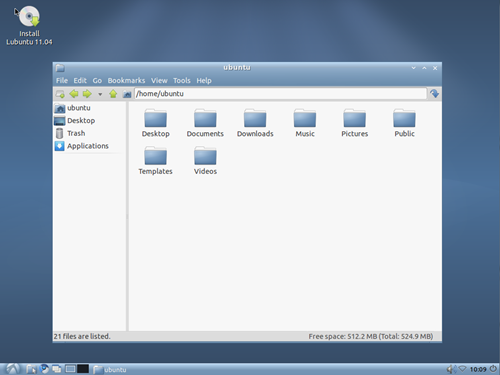
Lubuntu 11.04 – the latest version of lightweight, LXDE based Ubuntu derivative – has been released.

We loved Lubuntu last cycle but is the lightweight non-official variant of Ubuntu much cop this time around?

image_thumb2

That depends on what you’re looking for.

Lubuntu’s ‘traditional’ interface will be of comfort to those agitated by the interface revolution heralded in GNOME 3 and Ubuntu Unity; it certainly won’t appeal to “bling” fans!

But that’s not to say attention hasn’t been paid to the appearance. The new default theme by Raphael Laguna and the use of the Ubuntu font helps to give the sometimes-basic-feeling OS a distinctly professional look.

image_thumb5

Applications


The default application set of Lubuntu consists of ‘basic offerings’ with an eye on resource usage.

Covering the ‘vitals’ of any modern desktop are Chromium as the default web browser, Sylpheed as the default mail application and Pidgin as the default messaging client.

In place of LibreOffice are AbiWord and GNUmeric – two capable office applications.

Audacious now sits as the default audio player, replacing the dated Aqualung. Neither of these applications are going to win a beauty pageant. Likewise neither do much outside of simply ‘playing’ music.

Elsewhere webcam booth ‘Cheese’ has been replaced with Nixie Pixel’s favourite app GUVCView, and archives are now extracted using file-roller.

Download


As with all “final” releases of Lubuntu the OS is to be considered as a ‘stable beta’.

Official status-hood beckons?


One niggle that has plagued Lubuntu from its inception is the continued “not official Ubuntu spin status this cycle”. With such an accomplished release as 11.04 in particular this remains disappointing.

Thankfully the dedication and hard work of the Lubuntu development team is paying off.

Writing on the Ubuntu Technical board mailing list, Ubuntu founder Mark Shuttleworth was positive in response to Lubuntu’s progress during the last 2 years, adding: -

“The fact that you are now 100% in the archive, and using PPA’s and other tools effectively, makes it possible for us to consider recognising Lubuntu as an official part of the [Ubuntu] project. “


Musings on Banshee 2.1.0 and turning off the daily PPA


The new Banshee development cycle has official begun and within comes a number of big changes. Before you read any further, if you are currently using the Banshee Daily PPA now is probably a good time to disable it. With that said, let’s look at what is already in the tree now and which will be in the first development release 2.1.0 (currently listed on the Banshee calendar as landing on the 11th of May).

A new dbus implementation

As has been known for a some time, the NDesk-dbus implementation Banshee has been using up till now has been largely unmaintained since 2007 and is a source of some very hard to track down problems in Banshee. Some time ago the existing NDesk-dbus codebase was forked in dbus-sharp, a new compatible and maintained alternative. A branch to transition Banshee to dbus-sharp has existed for a while and today it was merged into Banshee, the Sound Menu extension was ported and the dependency change made official. Additional problems might arise from this move, so it is again, a good time to opt-out of the daily testing unless you are willing to and understand the implications of testing this new code. The big win for users should be a more stable Banshee for the eventual 2.2 maintained release, and for Banshee it represents a chance to remove some old workarounds as well as have a DBus implementation with an active upstream.

What is not there is the biggest feature

Since the dependency changes were announced all parts destined for obsolescent have been removed from Banshee entirely. The things removed so far: The old HAL hardware backend, The old ipod-sharp based iPod support, The bundled GStreamer equalizer (which was included to added EQ support for distributions which shipped an insufficiently new GStreamer). The required version of Mono has also been raised to 2.4.3. Additional cleanups have been performed to reflect the new foundations Banshee can now depend on being present.

Beyond 2.1.0

Larger porting efforts such as GTK#3 and GStreamer# are unlikely to make it into 2.1.0 but would be desirable to get in quickly I suspect so we might see this as early as the 2.1.1 release (June 8th). The GTK#3 port of the backend library Hyena is actively being worked on and so far as I am informed compiles, but causes crashes when running the Hyena test tool. I suspect these foundational changes will have to go in, or at the very least would be desirable to get in, before starting to consider merging big features such as DVD support and the Video extension improvements.

It might get a little rocky, confused Dane says: “fare with caution and understanding“. With that, welcome to a new exciting development cycle.


Source

Hey, where’d Ubuntu Gamer go?

This article has been a long time coming but unfortunately we’ve been so caught up in the Ubuntu release and working on our own new site features I just haven’t got around to writing it until now!

In September last year we launched Ubuntu Gamer at ubuntugamer.com – the intention was to create an entirely new site in a similar vein to OMG! Ubuntu!, but dedicated purely to gaming on Ubuntu.

The site went well for a few months until earlier this year, when due to a variety of reasons, a lot of the authors couldn’t find the time to write articles and the news was well, simply not there.

Ubuntu is a niche in itself with less than 1% of the desktop user market, so gaming on Ubuntu reduces that small to start with number of people greatly.

Over time, we realized it just wasn’t feasible for us to branch out so early with an entirely new site – especially if it didn’t get enough views to pay for itself. We’re a small operation and just don’t have the time to maintain multiple sites at the moment, which we found out the hard way.

So a couple of weeks ago we pulled Ubuntu Gamer offline and now the URL simply redirects to here.

But Ubuntu Gamer isn’t really going away.

We’d still love to have gaming news on an Ohso run site, and we are still interested in promoting gaming on Ubuntu.

With the Ubuntu Software Center improving its range and more exciting indie games appearing week to week, I think it would be good for us to keep up with the play here too.

Rather than run Ubuntu Gamer as a completely separate site which brings in a heap of problems and costs, we’re going to introduce a gaming section to OMG! Ubuntu!, bring over all the old articles from Ubuntu Gamer, and encourage our authors to publish articles about gaming here using the new category, games.

These articles will also appear in the main OMG! Ubuntu! feed so you guys don’t have to subscribe to and check two different websites.

Also, we’ll be bringing back the OMG! Ubuntu! forums @ forum.omgubuntu.co.uk so for all of you who’d like to discuss stuff that isn’t really relevant in the comments, you’ll be able to do so in the forums once more.

This stuff should happen sometime in the next couple of weeks, so keep an eye out. Thanks!


Source

GNOME3 packages begin trickling into Ubuntu 11.10


Due to the high priority of Unity in the Ubuntu 11.04 development cycle, the inclusion of GNOME3 into Ubuntu were postponed until 11.10, and Unity was shipped in Ubuntu 11.04 as a shell for GNOME2 instead.

Not wanting to waste any time, development on 11.10 started yesterday and GNOME3 packages have begun landing in Ubuntu 11.10.
What does this mean for me?

In Ubuntu 11.10 you’ll be able to install GNOME3 directly from the Ubuntu main repositories instead of relying on a PPA (unlike the situation in Natty).

Moreover, since the Unity shell will run on the GNOME3 stack for 11.10, installing GNOME3 with GNOME Shell won’t affect the Unity desktop session and you will have a choice to boot into either Unity or GNOME Shell at the login screen.
And what about the AppIndicators?

Many applications in Ubuntu have been patched to show AppIndicators for consistency in the Unity desktop. But as many Ubuntu 11.04 GNOME3 testers found out, these patches meant that these applications wouldn’t integrate well into GNOME Shell. All that will change in Oneiric.

A smart detection mechanism will be implemented to only show AppIndicators if a Unity desktop is detected. If instead vanilla GNOME is found it will fall back to the default upstream behaviour seamlessly.

Are you excited for GNOME3 in Oneiric?


Source

When “Free” in Free Software doesn’t matter

The term Free Software can have a double meaning depending on your perspective. For many, like myself and most readers of this blog, Free Software means open source code. For most of the world however, Free Software means something completely different.

Here’s how open-source evangelists understand the word “Free” in the phrase Free Software:

We think of Free Software as:

software that can be used, studied, and modified without restriction, and which can be copied and redistributed in modified or unmodified form either without restriction, or with minimal restrictions only to ensure that further recipients can also do these things and that manufacturers of consumer-facing hardware allow user modifications to their hardware. Free software is generally available without charge, but can have a fee, such as in the form of charging for CDs or other distribution medium among other ways.

The beer analogy


Most users on the other hand think of Free Software in terms of free beer. Not paying anything but still being able to enjoy it.

You can tell the patron it’s free and that they can have the recipe to make the beer themselves, or even improve on it. But not every bar customer makes beer at their place. It’s nice to have the recipe but they don’t really care, they just want the free drink.

You could convince her not to drink a specific brand of beer because the company that makes the beer won’t give out their recipe, but in all likelihood our patron still won’t care much. She is still getting free (as in no payment) beer.

Maybe only once she’s poisoned by the beer, might she consider to find a drink made following a specific recipe so she can trust the ingredients. But until then she just doesn’t care, because beer is beer and as long as it does what it’s meant to do, it’s fine by her.

Same goes for software.


Possibly one of the most useful xkcd cartoons | Supported Features, xkcd.com

If you did a snap poll in your local supermarket, how many people use open-source software? How many use proprietary software?

The answer is obvious in most cases. Proprietary software is dominating. And while some people are using Free Software, they sometimes don’t know how free it is or don’t care. A useful example is Firefox: it’s downloaded for no cost, but does the average user understand how free it is? Or did she stop reading at “Download Now?”

Also ask yourself why is she using Firefox? Because it is good software and she got it for no cost and it has a good reputation. In most cases anything else is irrelevant. The definition of good software is something for another article, but generally good, quality software is:
  • Reliable
  • Easy to use
  • Secure
  • Has a good reputation
  • And, to an extent, widely known*

* People are sheep. If you see others doing something or using a certain product, you’re likely to follow. This is why companies use celebrities to advertise their products and why Facebook advertisements can be based around recommendations from friends. (How many times have you seen “3 of your friends likes [page].”?)

Given these two options, which one do you think would be more likely?
  • Our user paying for good software or downloading it illegally.

or
  • Our user using Free Software that is inferior quality to proprietary software.

I bet most will go with option 1 if the price is right. Remember, people are willing to pay for quality products, and sometimes there is no price anyway. In the end our user doesn’t give much thought to the openness of the software. The best case for her is when it is both good and free.

From a developer’s perspective, regular users don’t care about the code like we do. They care about what they can do with the code and how much they’re paying for it. I use Skype because I think it’s better than XMPP when it comes to voice chat, and it costs me nothing.

Most people see the Free Software concept different to us open source evangelists. Preaching about freedom and open source is only one of many ways to convert people to free software, and no doubt you’ll win over a few more conscious types this way – but in the end to convince the majority it’s all about the quality of the software. Being free as in cost is just a nice benefit.

How can we make our user care about openness of software?


Do users really not care about the openness of the products they are using, or are they just unaware that such products exist? If it’s the latter, then what can we do to improve this by introducing them to open source?

There are many ways to tackle this problem, and a lot of methods are already successfully converting people every day to free software and for the right reasons. Word of mouth, Ubuntu LoCo teams and FOSS conferences are a great start.

But the best way to educate people is by first introducing them to a quality product that they love. If they end up loving something, most people want to seek out more information about it. (Example: If you find a new band, and fall in love with them, you might find yourself looking them up on Wikipedia, and then eventually stalking their lead singer).

And the only way you’ll get them hooked is by not scaring them. Remember, to most of the world, technology is an unfamiliar and very new playground, and computers are something to be scared of – mainly because people don’t understand how they work. We fear what we do not know.

If you suddenly replace Windows 7 with stock Arch Linux, no doubt they’ll never want to touch their computer again. Users have to be drip fed, and compromises have to be made.

This is what Ubuntu is trying to do.

In time, if they end up loving the product, they’ll learn that what they’re using is great quality not by magic, but because it’s Free Software.

If Free Software can not satisfy a users’ needs, she will end up using proprietary software. If the Free Software is going to stand in the way of achieving her goals due to licencing or patent issues, then it’s a deal breaker.

She just wants to watch The King’s Speech on DVD or listen to her MP3 collection – and if that doesn’t work, then the quickest and easiest path back to whatever does work will be taken. ie. She’ll probably just go and buy a Mac.

To summarize:

If the Software in Free Software  isn’t good then the “Free” part of that phrase is rendered irrelevant from the very outset.

This article was written by both Seif Lotfy, longtime FOSS contributor and project leader of Zeitgeist, and Benjamin Humphrey, director of Ohso.

No related posts.


Introducing the OMG! Ubuntu! Android app

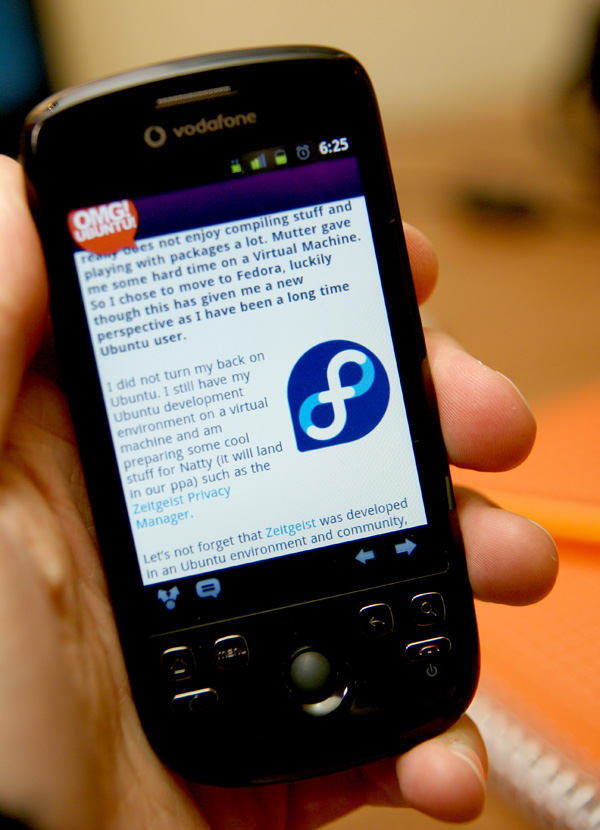
It’s finally time to unveil the official OMG! Ubuntu! Android app to you all!


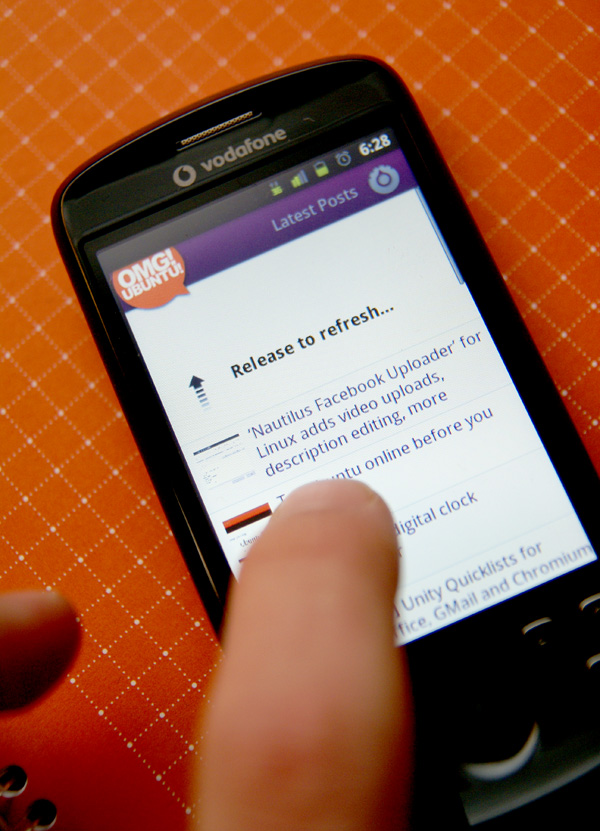
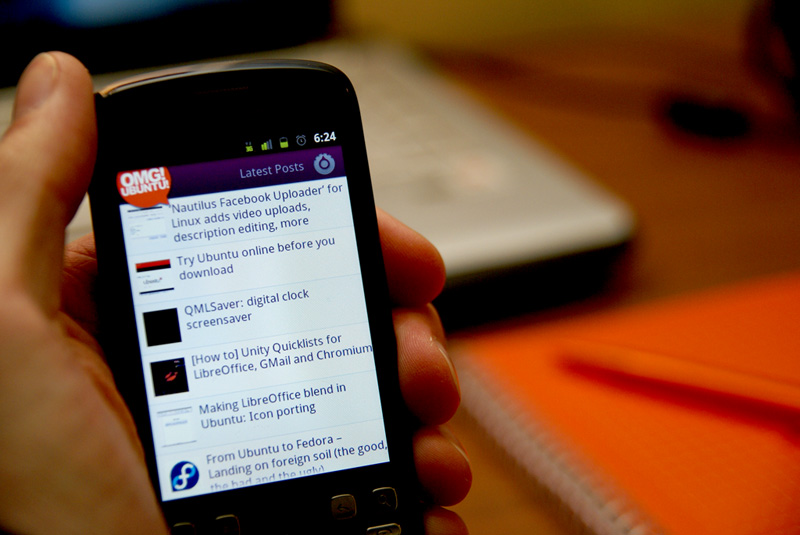
Now you can get the latest Ubuntu news, tips, interviews, how-tos and more from your favourite Ubuntu site wherever you are on your Android phone.

Features:

  • Stay up to date with the latest articles from OMG! Ubuntu!
  • Read comments and post your own
  • Share articles via Twitter, Facebook and more
  • Use swiping gestures to change articles
  • Cache the articles for offline reading
  • Filter posts by category
  • Pull down list to refresh articles
  • Adjustable font size
  • Haptic feedback
  • In-frame article viewing

Help us test it


We’ve been working hard on this for the last month and a half, and although it’s fairly stable, we think it’s ready for wide scale testing. Disclaimer: It’s an alpha version.

Future feature update ideas include better social integration, highlighting of featured posts, speed optimizations, a homescreen widget, optional new post notifications, and more.


If you’ve got an idea for a new feature you’d like to see, then constructive feedback is very much welcome either in the comments on this article or preferably on the Get Satisfaction page for the app.

You can also just click the Feedback tab on the right hand side of the site to report an issue/feedback/ask a question about any of our products at any time =)

Download


It’s available for no charge in the Android Market.

image

Alternatively simply search for “OMG! Ubuntu!” on your Android phone and punch the button to install.


Source