2011-02-03

CrossOver Windows emulator

CrossOver Impersonator, a Windows emulator, promises high performance for Unix/Linux systems. With Wine 1.3.9 under the hood, it raises the question: what differentiates this Wine based program from any other? We ordered a copy to find out.


On first boot, CrossOver Linux presents the ability to automatically download the list of community-supported applications.  If you turn on automatic updating, this list will be checked and updated each time you launch it.

Similar to PlayOn Linux or Cedega, you are shown a list of applications to choose from. Every applications running quality is measured with a medals system ranging from bronze, silver to gold.

Once an application is selected, you have the first option to simply direct CrossOver to the installer file. The second more interesting option is to select a folder that will be treated like an installer disk, saving you the trouble of mounting disk images.

The final step is to install the program selected. CrossOver offers a neat feature for installing applications into separate ‘bottles’. A bottle is a virtual Windows environment. Each bottle contains a unique C: drive. It also contains a complete Windows registry, a full set of most CrossOver settings, and one or more Windows applications.

The program allows you to maintain multiple bottles in one CrossOver installation. This is like having several different Windows machines operating together on your computer. This is is useful anytime you want to install multiple applications yet prevent them from interacting or damaging one another.

The last noteworthy feature is “CrossTie” installer. In a nutshell, this lets you install thousands of programs at the same time without any user input or configuration. To accomplish this task CrossOver contains all the configuration settings needed to create a new bottle and install the application you need into that bottle.

Download


You can download a free 30 day trial or buy the software here.


The standard version will run you 39.95$ and as for the professional 69.95$. All of the above are easily installed through a Deb. package.


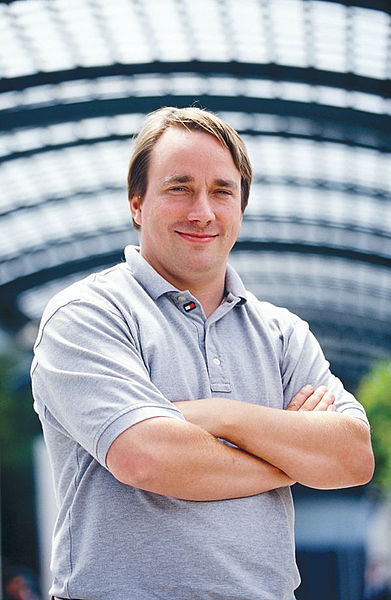
Linus Torvalds

Linus Torvalds has probably done more for the world than many know, and his influence stretches far and wide throughout all corners of the globe with a variety of amazing implementations of his original vision that started almost two decades ago.


Whether you know it or not, at some stage in your day-to-day life you probably come into contact with Torvalds’ work. Without him, many wouldn’t be where they are today, Ubuntu wouldn’t exist, and Free Software wouldn’t be such a prevalent mainstream ideology used by millions of people.

Torvalds has paved the way for Linux to become a truly successful mass-market product that’s ubiquitous in everything from embedded ARM devices like in-car entertainment systems to the likes of the TiVo set-top box that graces living rooms the world over and possibly even the smartphone that resides in your pocket.

His early work to establish the Linux kernel as a reliable, feature-rich and flexible basis for Operating Systems made Linux one of the most prominent and widely used examples of Free Software in the world.

Torvalds has been named as one of the “most influential people in the world” by TIME Magazine in 2004, and was voted 17th in their “Top 100 Most Important People of the Century” in 2000.

Torvalds has won numerous awards including the EFF Pioneer Award, the Lovelace Medal and the Takeda Award and in 2008 he was inducted into the Hall of Fellows of the Computer History Museum in Mountain View, California.

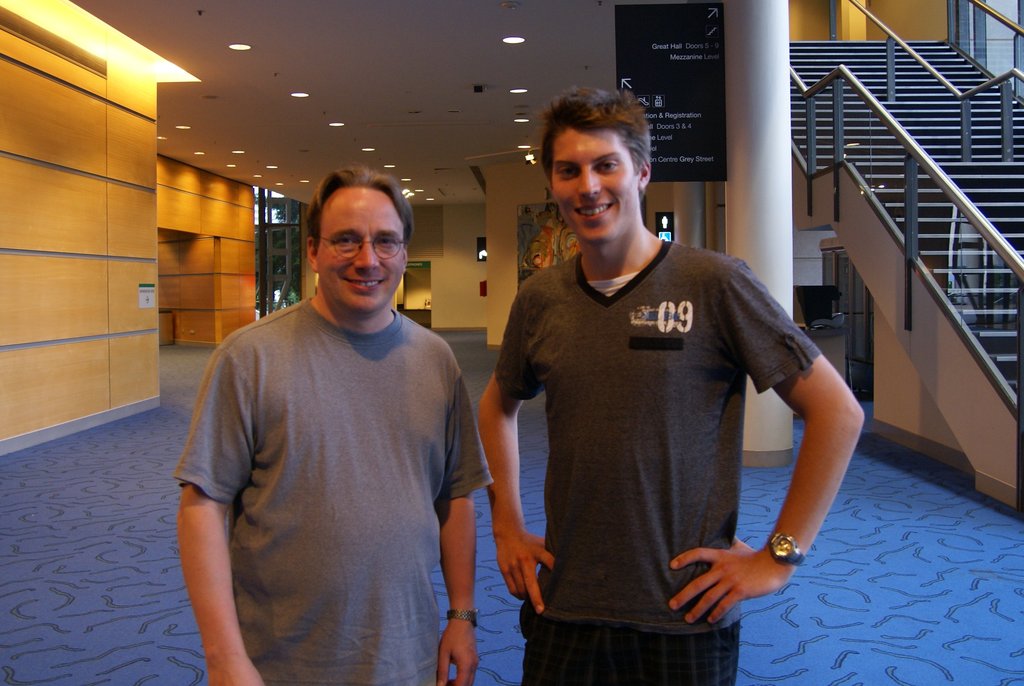
I had the honour of meeting Linus when he appeared at Linux.conf.au 2011 in Brisbane this week, and after chatting to him for quite some time I must say that this man is a lovely, amicable and approachable person who is truly passionate about what he does.

Linus is humble although what he has done has affected the day-to-day lives of millions, he is friendly and approachable although his position makes him a target for potentially annoying fanboys and media to swoon after and his insight into the world of Open Source is something that I believe should be truly valued.

On Ubuntu


In its 6 year existence, Ubuntu has delivered 13 releases into the hands of millions of users, a number which continues to grow every day. It has been fundamental in helping lower the barrier to entry for Linux and has brought many more people into the Free Software world, myself being one of these people.

So naturally, I asked what Linus thought about Ubuntu, and the first thing he said was that he is not an Ubuntu user.

“I’ve tried it a couple of times over the years, mainly because the thing Ubuntu did so well was make Debian usable. I always felt that Debian was a pointless exercise because to me, the point of a distribution is to make everything easy. Easy to install, to be pretty and to be friendly and Ubuntu did that to Debian.”

[...] the thing Ubuntu did so well was make Debian usable.

“I’ve always had a few problems [with Ubuntu.] It’s not very friendly to kernel developers, and I just end up giving up. That’s kind of okay, because clearly I am not the target audience.”

“I think that Ubuntu has done a really, really good job making Linux available to a wider and different audience, the kind of audience that comes from a Windows and Apple background.”

I think that Ubuntu has done a really, really good job making Linux available to a wider and different audience.

I explained to Linus that certainly that was the case with myself, as I only got involved with Linux a couple of years ago and if Ubuntu wasn’t around I don’t think I would have had the guts to give Linux a go.

“Even from a technical angle, I love the fact how Ubuntu was basically the distribution that started the whole Live CD install. While you’re installing [Ubuntu] you can actually use the program. You can actually do something while it’s installing and I thought, why didn’t everybody else do this?”

On Linux in mobile devices


Linux on mobile devices has come a long way in the past two years, mainly helped along by the massive force that is the Android Operating System by Google.

Suddenly, Linux is actually being used by a huge number of people around the world and with over 300,000 Android phones being sold a day, as well as other Linux based platforms such as Nokia’s Meego starting to take shape, this doesn’t look like it’s going to change anytime soon and indeed it will only get more popular.

I suggested to Linus that it must be really pleasing for him to see Linux in the hands of hundreds of thousands of people every day.

“Not just Android. What I’ve found that has been most fun for me has been when people are using Linux in ways that I don’t use it or in ways that I never intended it to be used, people using it in embedded areas, and with cellphones like Android but also all the crazy people using it in printers and TVs.”


“I am very happy about Android obviously. I use Android, and it’s actually made cellphones very usable.”

“In fact, long before cellphones became more usable there were all these failed prototypes that tried to use Linux and that was a lot of fun to see too. It’s a learning experience.”

I am very happy about Android obviously. I use Android, and it’s actually made cellphones very usable.

At that point we had to catch our bus from the conference venue to the Brisbane Cultural Centre where the Penguin Dinner was to be held.

I got to have a nice informal chat with Linus off-record during the bus ride, about everything from Australian public transport to where he had been diving that morning (one of Linus’ hobbies is SCUBA diving).

Eventually we got to the Cultural Centre and found a quiet place to continue the interview, where I had one last question to ask Linus.

Upcoming kernel features


The kernel is Linus’ domain, so I figured I better ask him what cool new stuff is happening in the next 6 months of kernel development.

“The current merge window that closed only a week before I left for the conference is my personal favourite merge window in a long time because we have two really big things going on.”

“We have the new filename lookup code. The neat thing about that is that it should be completely invisible to users in the sense that we don’t add in new features, we don’t do anything that people notice except we’re doing it much faster.”

[...] we’re doing it much faster.

“We were very good at file lookup before too because it’s a very common operation. Even when you’re using a graphical desktop and you don’t think about your workload as being filesystem specific, quite often every time you open a new graphical application they tend to open ten thousand different configuration files.”

“Sometimes it’s a disgrace what those processes are doing behind your back, and making that very fundamental kernel operation faster is something that I get involved in and I think the kernel should do really, really well.”

Sometimes it’s a disgrace what those processes are doing behind your back.

“At the same time it’s kind of the less glamorous side of the kernel. People tend to talk up new features and how we do something really cool that nobody has ever done before. The fact is in the end the really important stuff is the meat and potatoes – doing the boring stuff, the stuff that really matters.”

“Too many merge windows have fancy features. New drivers are something that everybody wants and needs and there is new hardware coming out and we need to support it, but at the same time new drivers tend to not be something fundamentally exciting, that’s the other side of the meat and potatoes, you need to do it because you need to support the hardware but it’s not the kind of stuff I personally find exciting.”

At this stage I asked Linus whether the kernel was going to continue getting faster as the kernel team work on optimization.

“I hope so, quite often the kernel doesn’t get faster. We add new features and as a result the kernel gets bigger and slower. The fact that we get noticeably faster on some really important operations is a great thing.”

I suggested to Linus that unlike other Operating Systems such as Windows, Linux tends to not suffer from the same level of bloat as time goes on.

“We have bloat, it comes up in a lot of benchmarks and a lot of people do benchmarking of how kernel performance improves over time, but we do have bloat and it happens.”

Almost always there is a really good reason for the bloat.

“Almost always there is a really good reason for the bloat. For example, we add in something because we want people to do new things but it does often end up meaning that we have a bigger footprint. Sometimes we add stuff that really speed things up so that it makes up for all the bad things!”

“Computers are getting faster and in the last three years we have improved scalability a lot. It used to be that having four CPUs or eight CPUs you were talking about server systems and relatively few people using them.”

“What’s happening now is that we’ve done a lot of scalability for those people and you can now buy a laptop with four CPUs or eight CPUs and it’s not even that expensive.”

Thanks a lot to Linus for taking the time out of his incredibly busy schedule to talk to me, I really enjoyed it and I hope you guys enjoyed reading it!

Linus and I at LCA 2011


Ubuntu powered tablets

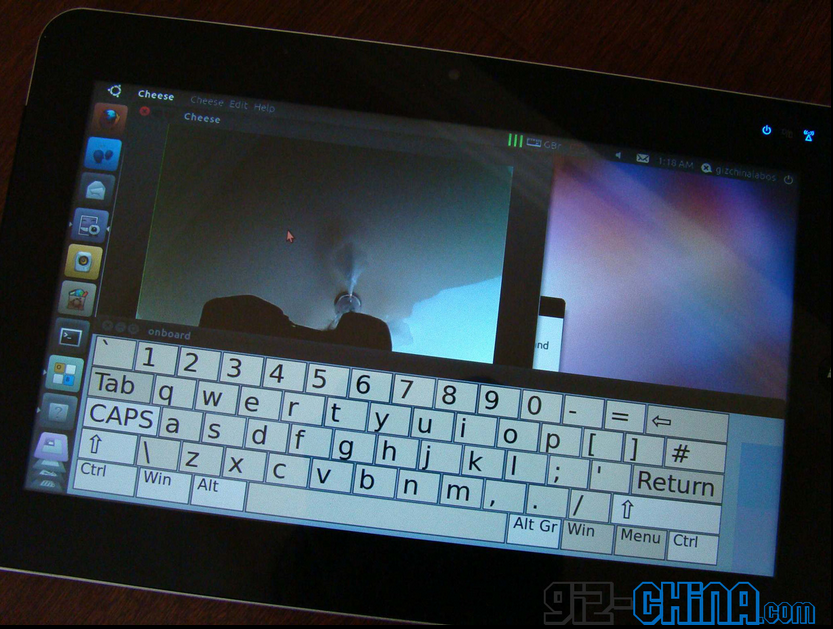
It’s hard to keep up with the slew of identikit Ubuntu tablets slipping out on to the Chinese market, but at least this one has some new information for us to digest..


image

The ‘TENQ P07′ – which we first covered in December of last year – is powered by the now perfunctory 1.66 GHz Intel Atom CPU, comes with a minimum of 1 GB of RAM and a 16GB SSD is used for file storage.

A 10" capacitive screen, 1.3MP webcam and the usual smattering of Bluetooth, Wi-Fi, headphone and USB ports round out the feature set.

The device also sports "gravity sensors" according to GizChina, with whom the hands-on video below is from. I’m not sure if they mean ‘accelerometer’ or ‘gyroscope’ or whether, indeed, it is a sensor for measuring gravity. Either way it doesn’t yet work in Ubuntu. ;) .

Pricing to start from $400 for the 16GB SSD model. Release date and market availability yet to be announced.


New sound menu of Ubuntu 11.04

Ubuntu Natty developements


The Sound Menu of Ubuntu 11.04 Alpha sees the return of play list support – an easy way to access your favourite track line-ups in Banshee without needing to open the app itself.

Screenshot-2

Elephants, or readers with good memories, may recall that this very feature was proposed for inclusion in Ubuntu 10.10 – and did begin to see implementation. Sadly various issues and rethinking put paid to both it and the track scrubber (remember that?). The final release of Ubuntu 10.10 saw neither included.


Whether or not a similar fate is beholden to the Natty version remains to be seen, but for now at least Alpha testers can play around with initial playlist support in their Sound Menu.


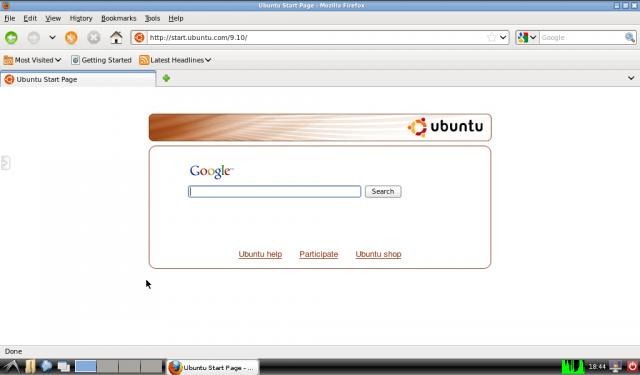
The latest version of lightweight webkit browser Midori has been released.

Alongside bug fixes and stability improvements version 0.3.0 sees duckduckgo.com set as the default search engine. Never heard of it? Wikipedia says: -

“[DuckDuckGo.com] uses information from crowd-sourced sites (like Wikipedia) with the aim of augmenting traditional results and improving relevance. The search engine philosophy emphasizes privacy and does not record user information.”

Other notable changes/update include:  -
  • Support for libnotify 0.7
  • Correct bookmark and search icon names
  • Better link menu handling
  • Fix Russian keyboard issues
  • Simplify language and panel options
  • Default to DuckDuckGo search
  • No Netscape plugins in extension panel
  • Easy user add-on install infobar

Download Midori 0.3.0


The latest builds of Midori are, as always, available to install via its own dedicated PPA. This also requires the addition of the WebKit PPA.
  • sudo add-apt-repository ppa:midori/ppa
  • sudo add-apt-repository ppa:webkit-team/ppa
  • sudo apt-get update && sudo apt-get install midori

Alternatively source can be downloaded here.

Related posts:
  1. Midori 0.2.9 released with private browsing, Google reader fix & more
  2. MIdori web browser 0.2.7 released – new features, new extensions, better speed
  3. Midori 0.2.6 Released – Now allows custom number of speed-dials


Source

2011-01-11

Banshee becomes Ubuntu 11.04 default music player


After much hard work by the Banshee Project and Ubuntu, Banshee has finally been made the default music player in Natty.

As I am informed currently the switch will hit the next daily image build.

From #banshee
didrocks, gabaug: banshee seeded!
this means that it will be in next ubuntu daily build
thanks to upstream and all the debian mono team for the work :)
Laney, \o/
didrocks, dnielsen: not yet on upgrade as the ubuntu-desktop metapackage isn’t refresh (still pending other change to refresh it), just for new daily build install

I, for one, welcome my new media player overlord

Related posts:
  1. Banshee close to being made default music player in Natty
  2. Banshee becomes Ubuntu 11.04 default music player
  3. Banshee 1.7.5 released with improved hardware support


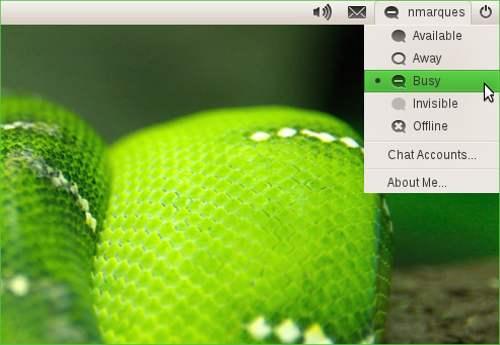
openSUSE users intrigued by Ubuntu’s popular desktop applets will soon be able to install and use them on their own desktop.


Nelson Marques, openSUSE contributor, is the noble soul responsible for bringing the best of Ubuntu to openSUSE users’ desktops. But why?

I guess it comes down to taste.

Marques is a fan of  the “indicator-initiative”, the simplified menus, applets and orderings for user application interaction that have fast become one of the most iconic pieces of the Ubuntu experience.

Developers now keen to bring this enhanced usability to other desktops serves only as a testament to the impact that the indicator’s and their ilk have had.

Writing on his blog Marques says:

“From my personal point of view… a distribution 'distributes'… and despite this software isn't attractive for some openSUSE users, I'm happy it is available (totally or partially) for all those who want to test it.”

The knock-on effect of wider adoption across distribution lines is ‘more use = more bug fixes.’

The repository containing the ‘Indicators’ is to be available after the next release of openSUSE, due March 16th this year.

Working already


So what’s up and running so far?

The familiar panel line-up of Sound Menu, Messaging Menu and the MeMenu are all, in varying degrees, working well in openSUSE right now.

As Ubuntu 11.04 matures nears the end of April more patches and bugs fixes will creep in thus further enhancing the experience for GNOME OpenSUSE users.

Messaging Menu in openSUSE

Me Menu in openSUSEUbuntu's familiar Sound Applet running in SUSE

Unity is also in the process of being ‘supported’ by the team however the on-going development of it during the coming months may result in delayed availability for openSUSE users.

If your curiosity has been piqued by this project I highly recommend checking out Nelson Marques‘ full blog post.

Thanks to Ingo

Related posts:
  1. OpenSuse 11.3 Released
  2. indicator applets now work with awn
  3. What indicator applets were made for: Mock-up Power Manager Applet for Ubuntu


Commercial software to Ubuntu Software

With the words ‘app store’ emblazoned across the Internet today thanks to Apple’s launch of a desktop software store, a familiar band of apps and games have also been in the news – albeit due to their collective selves gaining poll position as ‘apps available on launch’.

But what about Ubuntu? We’ve had an ‘App store’ capable of supporting paid applications for a good few months now: will we see some of the more popular cross-platform games and apps heading our way?

It seems so.

Angry Birds


Rovio media, the company behind the hit game ‘Angry birds’, have said that they are ‘looking into’ bringing the game to the Ubuntu Software Centre.

angry-birds-update-2

With Ubuntu’s multi-touch framework maturing every week and with more tablets and touchscreen devices capable of running Ubuntu the notion of popular ‘touch friendly’ applications cosy-ing up to Ubuntu doesn’t seem entirely bizarre.

Having just spent a good hour flexing my finger on level 5-11 of this very game I have a vested interest in staying abreast of news on this particular port as and when it happens…

What apps/games would you like to see transition from iOS/Android to Ubuntu?

Thanks to Florian

No related posts.


Ubuntu Netbook Edition 10.07' Coming to ARM

Okay, I’ll admit that I’m a bit obsessed about Ubuntu on ARM and have been scouring Twitter and YouTube for any interesting news from CES.

I just found this gem on YouTube: a dual-core 2GHz Cortex-A9 14" laptop.  Sounds about right to me.


Check out the video on YouTube.
In my personal reading of the tea leaves, Mark Shuttleworth is on a bold mission at CES.  And I think that it’s because of Ubuntu and Linaro that Microsoft felt pressured to announce (rather awkwardly) that Windows 8 will run on ARM.

What do you think?

Related posts:

  1. MeeGo phone demoed on powerful ARM hardware
  2. 'Ubuntu Netbook Edition 10.07' Coming to ARM In July, Demoed on ARM netbook


Another day and another device finds itself capable of running Ubuntu


This time the device in question is Barnes and Noble’s ‘Nook Colour’ eBook reader.

With its 7-inch colour multi-touch touchscreen the device makes for a comfortable fit running Ubuntu, with most major desktop applications benefitting from the near-normal screen resolution.

snap20110104_124453

Compromises have been made however. As eagle eyed readers will spot from the screenshot above the tweaked-Ubuntu port runs the lightweight LXDE desktop environment.

The full guide on how to install (and deal with) Ubuntu on the Nook Color can be found on the XDE Developer Forums in this thread.

Via XDA Developers |Image devastatorx

Related posts:
  1. Ubuntu ported to Windows Mobile handset


‘Borderless’ themes are all the rage currently.


The Elementary-Borderless GTK+ theme we featured a few days back has been particularly popular with users so it was somewhat inevitable that the stock Ubuntu themes would get the same treatment sooner rather than later.


There is a trade off in using borderless themes as they lack the  ability to be resized windows from the edges/lower-right corner – unless you’re running a patched version of GTK+ that has a ‘resize grip’ embedded in the lower corner.

Annoyingly this is an ‘Emerald’ theme rather than a Metacity one so you will need to be running Emerald as  your ‘window’ decorator in order to use it.

Download @ Gnome-Look

Related posts:
  1. elementary-borderless theme is a simple yet striking change
  2. Google Wave Emerald Theme Is Way Too Gorgeous, Lonely
  3. Emerald: Unique Window Theme


Voodoo?

We wrote about it, Phoronix demoed it. The magic scheduler voodoo(tm)* which brings happiness to desktops that everyone wanted to test at the time..well it may be coming to your Natty desktop.

The good news is that Ingo Molnar, maintainer of the scheduler subsystem in the Linux kernel, has just issued a pull request for the upcoming kernel 2.6.38 which includes this feature. The final call if this kernel will be in Natty is February 1st.

The bad news is that it is currently default off, so unless Ubuntu changes that default this enhancement remains hands off for Natty users out of the box even if 2.6.38 makes it into Natty (PPA solutions likely to become available though).

*update*

OMG’er Dennis MH informs us that a version of this feature already is in Natty.

* no voodoo actually involved, magic not real.. in fact just scheduler… sorry
** I do apologize for the title Joey insists on Twitter friendly summaries, which just isn’t possible for such a change, so I am freely admitting that I am riding that horse for all she’s got, just for because this is OMG! Ubuntu!

Related posts:
  1. Impatient for Ubuntu Natty? Add this countdown widget to your blog
  2. Banshee close to being made default music player in Natty
  3. MeMenu now displays full user name in Natty