2011-05-21

Systemd in GNOME, PackageKit and what GNOME as an OS really means


A recent proposal be PulseAudio and systemd lead developer Lennart Poettering to add systemd raised rt-for-bsd-solaris-unix/" >concerns that GNOME might drop support for non-Linux platforms.

Rest assure this is not the aim. Lennart, in follow ups to his proposal, explains that systemd could be separated into a core set of interfaces which could take replacement backends that support e.g. FreeBSD so long as it implements the interfaces systemd cares about or as it was their init system. What Lennart doesn’t want is a lot of additional code in systemd as it is today to support these platforms as one of the main advantages is the simplicity and elegance obtained by relying on the functionality presented by Linux.

FreeBSD Mascot #4photo © 2011 atzerok | more info (via: Wylio) Why should we care about what systemd cares about?

Systemd gives us a powerful set of tools to improve the user experience along the improvements promised and shown in performance and standardization (read Lennarts excellent series explaining systemd on his blog). With systemd we can replace some core functionality such as ConsoleKit which would allow for a smoother multi user experience.

Solving simple problems such as setting the pretty host name that gives your machine identity. Systemd strives to allow this now by standardizing on such things as where this data is stored and it what format. Fundamental assumptions about the system that will benefit the user experience.

Systemd goes beyond that, its interfaces provides us a set of information and functionality which we can use to make GNOME more user friendly. E.g. systemd lets us provide a smooth experience via it’s control group tracking of all processes. This allows balancing of CPU (and likely also IO) resources between applications making a system slow down more graceful and the overall experience smoother. This tracking also allows GNOME precise knowledge of these processes. data which might be used for improvements in how gnome-shell displays information to the user.

Shouldn’t we wait depending on systemd till other platforms are supported somehow?

In honesty, resources are scarce and the truth is that the vast majority of developers and users of GNOME are on Linux. We have a reference implementation now on that most used platform and replying on its interfaces would allow us to provide a superior user experience both short term and long term. Depending on ystemd only means depending on its interfaces and competing kernels can init systems could very well provide these interfaces as well. That effort is though on their shoulders but with apparent willingness to cooperate.

How this is analog to PackageKit longterm

Many people misunderstand PackageKit, mostly I suspect because they have had poor experiences with the default PackageKit user experience. PackageKit is not about these tools, PackageKit is about defining a common interface to talk to the package manager. This allows e.g. integration so that the system is requested to install support for missing formats if it is available. Common examples of these situations would be missing compression formats like .rar, missing codec support such as .mp3.

It is not about .deb vs. rpm, nor yum vs. apt-get!

PackageKit like systemd exist precisely to avoid those fights. The existing tools and package repos are excellent, what we care about is not replacing them but working with them in a consistent fashion. In PackageKit every package manager implements a backend which supports a common interface. In the same way that depending on systemd allows the assumption of a common set interfaces which can be used to enhance the user experience. There should be nothing technically baring an analog solution for systemd as what PackageKit has for separated backends.

But the PackageKit user interfaces are still ugly David!

That is true and it is widely agreed that the Ubuntu Software Center is a superb experience. It currently works not using apt-get directly but using an incompatible PackageKit fork aptdeamon. Porting this to PackageKit is being undertaken by Alex Eftimie under Google’s Summer of Code 2011 so fear not you shall have the same experience as always, and it will be available on any GNOME platform. Naturally depending on completeness of PackageKit backend and existence, though most major distributions are covered to some degree.

Ubuntu’s other tools such as the update experience are also aptdeamon tools and could be ported. My personal feeling would be that the better investment of resources would not be specifying GNOME3 stories for upgrades and updates in additions to the stories already told by PackageKit.

PackageKit and systemd are slow!

And I postulate to all that slow is a bug. In the case of systemd one of benefits should be performance an Lennart is already matching an Ubuntu Upstart powered 10 second boot. As I understand with patches to a standard Fedora 15 install and no LVM as I understand. PackageKit might have hard problems to solve to match what aptdeamon gives Ubuntu in terms of performance and certain features but Richard Hughes has shamed concerns before with actual hacking. I would trust him to solve this problem long term and reap the benefits of being allowed the assumptions PackageKit gives GNOME now.

GNOME as an OS is (partly) about interfaces, not defining a Linux only desktop that runs only on Thursdays if the window is open

Interfaces like PackageKit and systemd allow GNOME to solve problems and provide real improvements to the experience. The sad side effect of leveraging what the vast majority of GNOME users already have in Linux is short-term that GNOME will be Linux only. Long term it is up to the competition to provide the same interfaces. This is no different from depending on Tracker or GTK+, these needed tools which provide the interfaces we need might not run on a given platform. Given resource constraints it must sadly fall upon these platforms to contribute in providing those required interfaces.


Source

Unity 2D PPA for Ubuntu 10.10 users


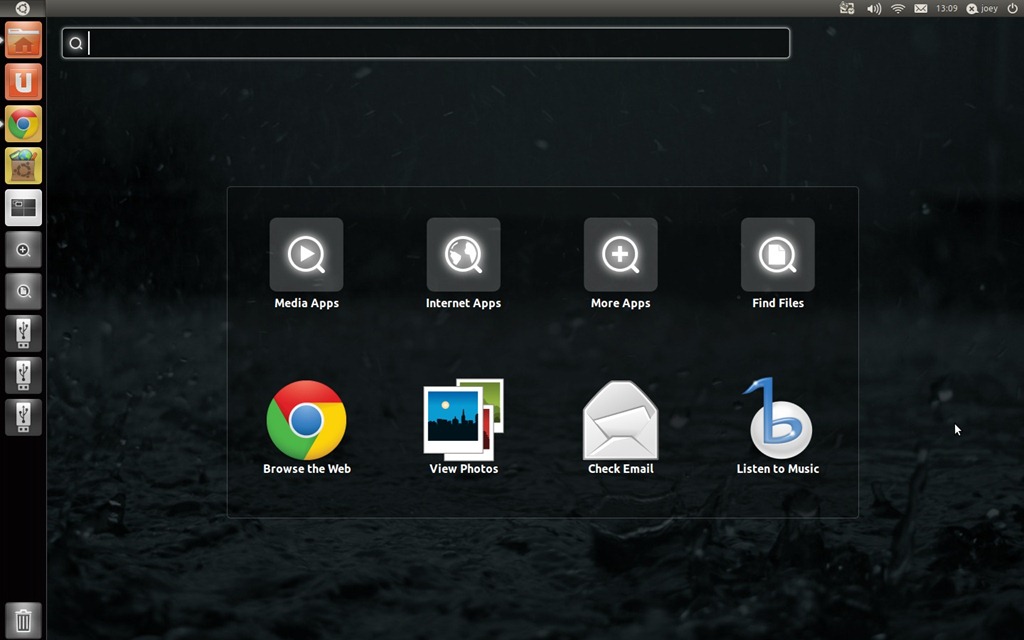
So you’re still on Ubuntu 10.10 but you don’t want to miss out entirely on the “new” Unity experience. What’s the best way to experience Unity in Maverick?

During the early development of Unity 2D – the less hardware-hungry version of Unity that uses Qt – Ubuntu 10.10 users were able to install Unity 2D for development purposes via a PPA. Understandably, the back-porting stopped as Natty got nearer.

unity2d

Ubuntu developer Adi Roban has picked up where the Unity 2D team left off, packaging Unity 2D into a PPA for Ubuntu 10.10 users. He explains on his blog: -

“…being stuck with Ubuntu 10.10 I started using the Unity 2D team PPA repository. It worked quite well, until the team decided to stop supporting Unity 2D on Maverick. With valuable help from Unity 2D team I was able to build the latest Unity 2D on Maverick.”

The result of his work is a Unity 2D PPA for Ubuntu 10.10 users, available at ‘ppa:adiroiban/unity-2d-maverick‘.

He goes on to note:

“The global menu is not working it the current Maverick build. I will try to fix this since I like global menu. Feel free to suggest any improvements to the current build.

Please note that the Unity 2D on Maverick is not supported by the Unity 2D team. In the same time, I am a junior Ubuntu packager so the package might have some bugs.”

Install


So you’re feeling brave and want to install it, huh? First thing is to be fully aware that the PPA is neither supported or provided by the Unity 2D team, so install this at your own risk.

The good news is that it does actually work well – at least for now. The lack of the Global Menu is a bit of a drawback in terms of getting feature parity with Natty 2D users but this doesn’t impede the experience too much.

It also flies compared to the ‘stock’ version of Unity provided in Ubuntu 10.10 – and even with bugs and missing features is well worth installing if the former stresses you out with its sluggishness.

To install in Ubuntu 10.10 only – add ‘ppa:adiroiban/unity-2d-maverick‘ to your Software Sources, located in the ‘Edit’ menu of the ‘Ubuntu Software Centre.’

Once installed you’ll need to logout and select the ‘Unity 2D’ session from the login window to ‘enable’ it.

Via adi.roiban.ro/


Source

Ubuntu Power Users: taking Ubuntu further


Although Ubuntu continues to adapt itself towards being user-friendly, the needs of the “advanced” user are not being forgotten.

Ubuntu Community Manager Jono Bacon cle','jonobacon.org']);" target="_blank">proposed a rather neat idea: the creation of an Ubuntu Power Users community. Here ‘…the needs of folks who love to tweak, tune, customize, hot-rod and otherwise amp up their desktops’ would be catered for.

And that idea has received a huge welcome.

Kitchen sink


One idea that Jono Bacon is particularly effusive about is the creation of an ‘Ubuntu Kitchen Sink’-style application.

An extensible amalgamation of Confity, Ubuntu Tweak, YeoWorks, gconf, etc, the idea is to create a single unified application where access to ‘power user’ options for Unity, GNOME, etc. reside.

“Given that the focus is on Power Users, anything and everything should be able to be exposed as an option; there should be no concern for confusing the user with too many options – the goal here would be completeness…check-box heaven if you will…a haven for click-happy config junkies.”

Join the discussion


Like the idea? Want in? There are various ways to get involved.

Your first port of call is the new mailing list. This already has over 100 subscribers according to Jono!

Find it @ lists.ubuntu.com/mailman/listinfo/ubuntu-power-users

An IRC channel is also available. Point your client of choice to #ubuntu-power-users on irc.freenode.net.

Finally there is a wiki page that contains further information.

It’s early days for the project, but it promises to bear some immensely juicy fruit.

No related posts.


Source

Neo, meet Ubuntu [Video]


The following Windows-mocking sketch by comedy website CollegeHumor has been knocking around for a while but I’ve only just seen it myself.

Reimagining ‘The Matrix’ series of movies running on Microsoft Windows, the gags are predictable but nonetheless funny. Stick with it to the end for a shout out to Ubuntu.


Source

Add Ubuntu One style dark toolbars to all apps in Ubuntu


It has been two weeks to the day since I shared my enthusiasm for DeviantArtist SimplyGreat’s ‘UbuntuOne style Nautilus-Elementary theme’.

I still love his work – which gives Nautilus-elementary users an ‘UbuntuOne’ themed file browser toolbar – but what if you want to extend this ‘look’ throughout all of your GTK+ applications? That’s where this post comes in.

dark toolbars in Ubuntu 11.04

Global dark toolbars


Put together by Dashua, the following Natty-only PPA contains a modified version of the Ubuntu light themes that applies this ‘dark toolbar’ style to all of your installed GTK+ applications.

Also provided via Dashua’s PPA is a patched version of Nautilus-Elementary.
Getting the changes

You can upgrade your version of Ambiance and Nautilus with these unsupported changes by adding ‘ppa:dashua/ppa’ to your software sources. Don’t know how to do that? See here.

Once added, run the ‘Update Manager’ to apply the relevant updates. Select ‘Ambiance’ in the ‘Appearance Properties’ window for the theme to take effect. You may need to log out and back in in-order for changes to Nautilus to appear.

Also note that this version of Ambiance has ‘Faenza’ set as the default icon set. If you don’t have the Faenza icon pack installed just click the ‘customize’ button in ‘Appearance Preferences’, go to the ‘icon’ tab and choose an icon set of your choosing. The default ‘Ubuntu icon set’ is ‘Ubuntu Mono Light’.

Tip via NerdyKid


Source

[How to] Convert Ubuntu into ChromeOS (kinda)


Whether the hype surrounding Google’s soon-to-launch ChromeBooks has left you wanting a piece of the action, or whether you’d just rather have a “quickboot” interface for Ubuntu that gets you on the web in seconds, the following ‘conversion’ guide may prove useful.

cdn.omgubuntu.co.uk/wp-content/uploads/2011/05/Screenshot-1-r95.jpg" >Screenshot-1-r95Chrome OS is, in the simplest of simplistic terms, a browser running atop a Gentoo base. Not as fancy as one might have expected, nor is it that difficult to ape thanks to a great many of ChromeOS’ features being features within the browser itself.

Tutafuta - which my mind insists on reading as tooty-fruity for some insane reason – have put together a neat how-to on transforming Ubuntu into a ChromeOS-style environment.

The result is by no means a perfect match – features, usability and speed from power-on to google-dot-com will be noticeable between the OS proper and this make-shift version.

But that’s missing the point. This is about getting some of the best bits of ChromeOS atop a more powerful, accommodating base such as Ubuntu.

The guide can be found and followed @ tutafuta.com


Source

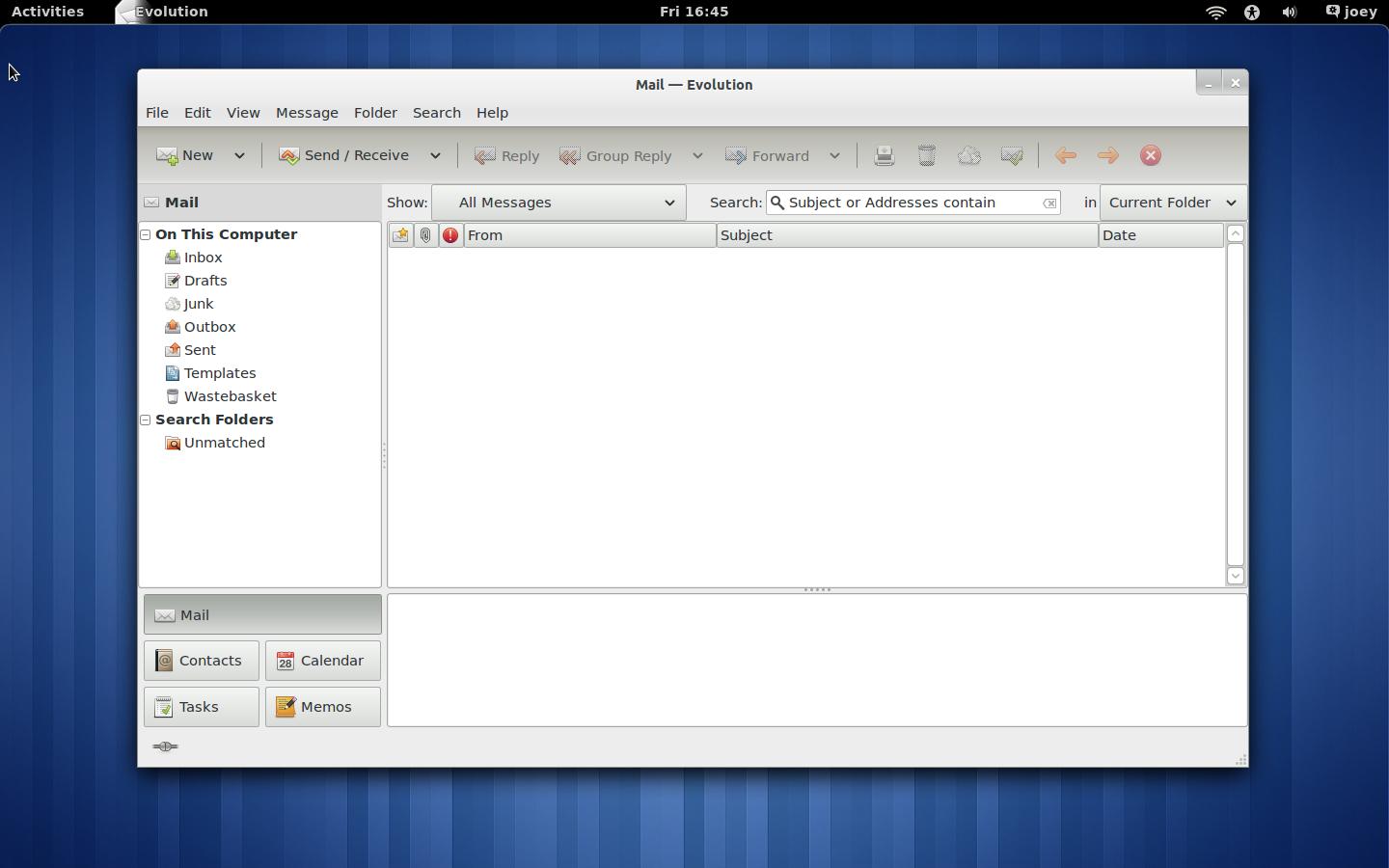
Evolution 3.0 now available for Ubuntu 11.04 GNOME 3 users


Evolution 3.0 is finally available for Ubuntu 11.04 GNOME 3 users to install, thanks to danilo.

Evolution 3.0 for GNOME 3 doesn’t differ greatly from Evolution 2.x as found by default in Ubuntu 11.04 – at least not on the surface. But if you’re using GNOME 3 in Ubuntu you might as well be using the latest version of its default mail application, too.


With Evolution requiring dependencies from the GNOME 3 PPA Ubuntu 11.04 Unity users cannot use this PPA.

Add ‘ppa:danilo/evolution’ to Software Sources, accessible via The Ubuntu Software Centre, and then run Update Manager to upgrade Evolution to version 3.0.

To reiterate: this is not available for Ubuntu 11.04 Unity users only those with GNOME3/Shell installed via the GNOME 3 PPA.


Source

2011-05-16

Mark Shuttleworth UDS Interview [Video]


The Ubuntu Developers YouTube channel has uploaded a new video interview with Mark Shuttleworth, recorded earlier this week at the Ubuntu Developer Summit, currently taking place in Hungary.

In the twenty-minute long interview he talks about his strategy on reaching 200 million Ubuntu users by 2015 and what users can expect in Ubuntu 11.10 and Ubuntu 12.04, as well as touching upon the job of managing a project home to so many differing views and preferences.


Source

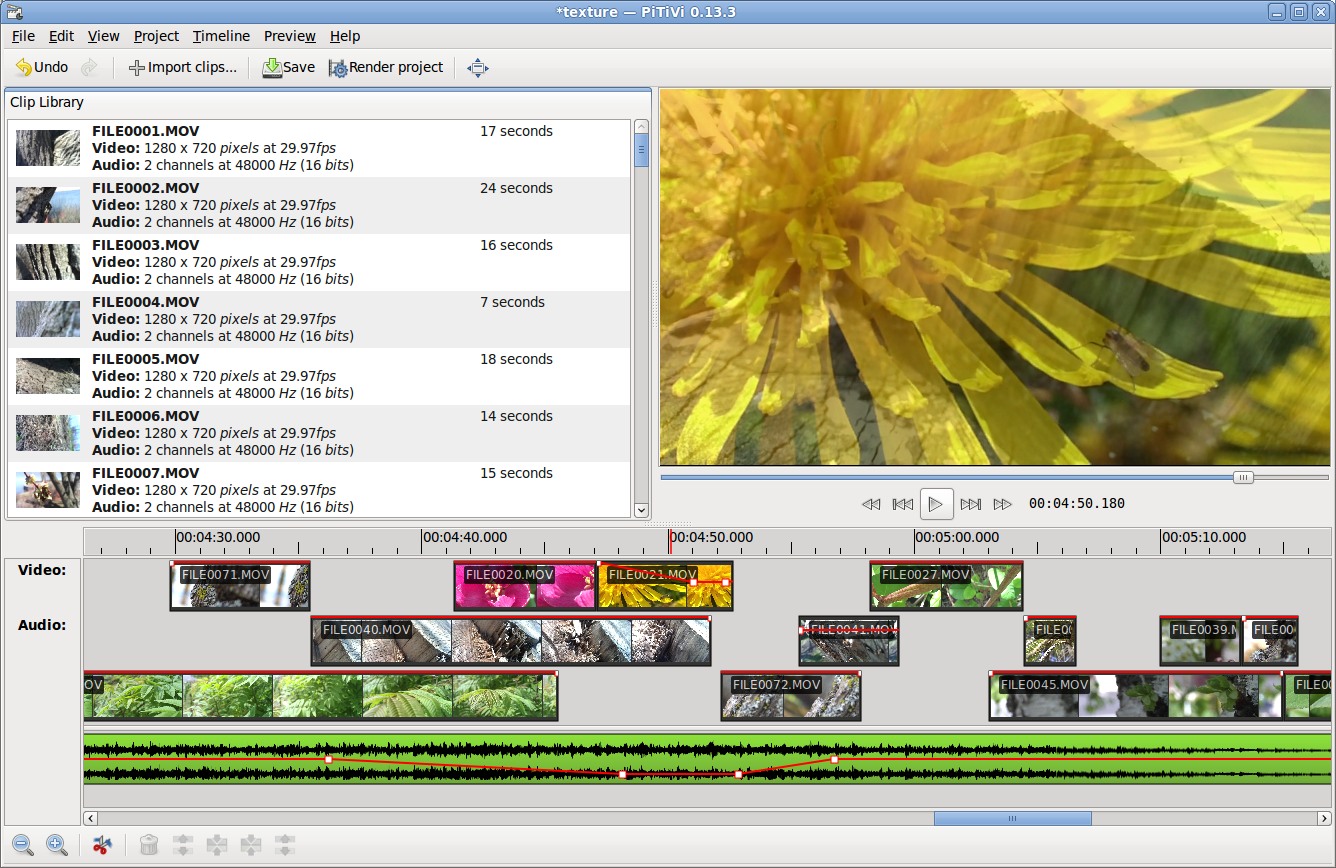
Video editor PiTiVi to be removed as default app in Ubuntu 11.10


GNOME Video Editor ‘PiTiVi’ is to be removed from the default application set in Ubuntu 11.10, a discussion at UDS has decided.


PiTiVi, which was first added to the default application lineup in Ubuntu 10.04, was removed in light of its poor reception – currently garnering a mere 2.5 star rating in the Ubuntu Software Centre – as well as its lack of fit with the default user-case for Ubuntu.

The lack of ‘polish’ and maturity to the application was also highlighted, with one attendee wondering whether its ‘basic’ nature impacted negatively on the perception of the Ubuntu desktop as a whole.

Whilst no video editor will replace it, PiTiVi, Kdenlive and OpenShot will all be installable via the Ubuntu Software Centre.


Source

App changes for Ubuntu 11.10: See ya, Computer Janitor and Hello Deja Dup!


Few changes are to be made to the application line-up in Ubuntu 11.10.

Backup tool ‘Deja Dup’ will be ‘new’ to the application line-up. Mozilla Thunderbird has been tentatively marked for inclusion pending CD space concerns and other issues being resolved ahead of October.

A ‘hardare information’ application was also discussed for inclusion, with options on who best to provide this to be looked at.


Leaving the default install will be video editor PiTiVi and catastrophe-creator ‘cruft cleaning’ tool Computer Janitor. The latter tool has long been a headache for casual users who have broken their systems by running it unaware of its intentions. It was this ‘danger’ posed that formed part of the reasoning behind its removal.

Computer Janitor: marked for removal

LibreOffice removal mooted

Also discussed at length during the UDS session on default applications was the potential case for removing LibreOffice from the default CD.

No formal decision on removing the suite was taken, with the developers noting that the purpose of the discussion was simply as it it was on their ‘list for examination’ rather than the talk being a sign of intent in dropping it ‘soon’.

Reasons put forward in favour of its replacement at some point in the coming cycles included the relative large size of the application both on the CD and delivered on so-called ‘Zero-day upgrades’; the inconsistent user interface and the perceived ’lack of use’ by many Ubuntu users.

The reasons on keeping the suite were more convincing. The strong selling point of Ubuntu shipping with a ’Microsoft-Office compatible Office app’ was noted, as was the likely popularity of the suite with “no-we’s” (i.e. non-developers.).

LibreOffice also, like Firefox and VLC, carries brand recognition across platform – a strong selling point in assuaging the concerns of casual, tempted new users.

One proposed ‘solution’ was to have a ‘LibreOffice’ installer placed on the desktop/Unity launcher for users wishing to add the suite to easily do so. Kubuntu has a similar approach with Firefox, not shipping it by default but shipping an installer for it.


Source

[How to] Make e-book app ‘Calibre’ look nicer in Ubuntu


It’s always frustrating to come across an applications whose features are let down by a less-than great interface. Calibre, an e-book management tool, has, for me at least, been a prime example of this.

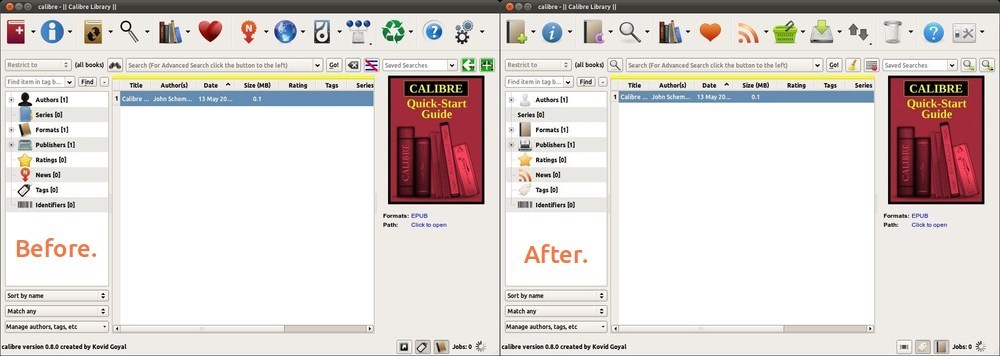
Thankfully the developer has begun working to tweak and refine the interface, with the fruits of this labour appearing in the most recent release. Reader and all round ace guy Wyatt K., having read that post, thought it could be made better still – and all rather easily, too…

“On your Calibre post there were several comments about the terrible icons. Since this is a sentiment I share — and since I want a beautiful desktop — I decided to do something about it. This is what I ended up with:

calibre-screenshot-r100

Fortunately, changing the icons in Calibre is super easy. There’s a folder of the icons used by the application inside the resources file. For anyone interested, here are the steps to get Calibre looking even better:


  • Navigate to the location in which you installed Calibre. By default this is located at ‘/opt/calibre/resources’
  • Rename current images folder to something like “images-backup”
  • Copy new images folder from wherever you extracted it into the ‘resources’ folder
  • Launch Calibre

If everything worked, you should now see beautiful Elementary icons everywhere.


Since Calibre keeps the same file structure everywhere, this same process works on both PC and Mac, the only difference being the actual location of the resources directory. There are still a couple things that need to be done to make this replacement perfect. As yet, there are no good device icons for e-readers in any of the well-known icon sets.

If someone has some, send them along to kirby.wa [at] gmail [dot] com and I’ll update the .zip.

Credit goes to DanRabbit for his amazing icons, and Kovid Goyal for his fantastic program.”

And y’know what Wyatt? Credit also goes to you for such a clever tweak.


Source

Desktop YouTube app ‘Minitube’ sees bug fix release


Minitube – the impressive HD-capable and Adobe Flash-free desktop YouTube player for Windows, Mac and Linux – has seen a new ‘bug fix’ release this morning.


Fixes present in the 1.4.3 release include: -
  • Toolbar and playlist now hide when in fullscreen
  • Status bar volume level no longer displayed in decibels
  • Search box no longer disabled when in fullscreen on Linux
  • New and updated translations

Minitube is a free download for Linux and binaries – which simply require one-click to run – are available from the Minitube website @ flavio.tordini.org/minitube

A PPA is also maintained by Ubuntu member Christian Mangold. Just add ‘ppa:neversfelde/minitube’ to your software sources to upgrade or install ‘minitube’ from.

Windows and Mac users are also able to use the application for free, but a "full" version with all of the features unlocked is available for purchase.


Source