2011-02-21

Software Center adds ‘inappropriate rating’ link, and more


An update to Software Center in Ubuntu Natty brought a couple of changes to the ‘Ratings and Reviews’ feature, including the ability to mark a review inappropriate, disability to review an app if it isn’t installed, and many more.

Below are some screenshots (click the images to see larger versions):


Upon clicking the ‘Inappropriate?’ link this dialog opens:
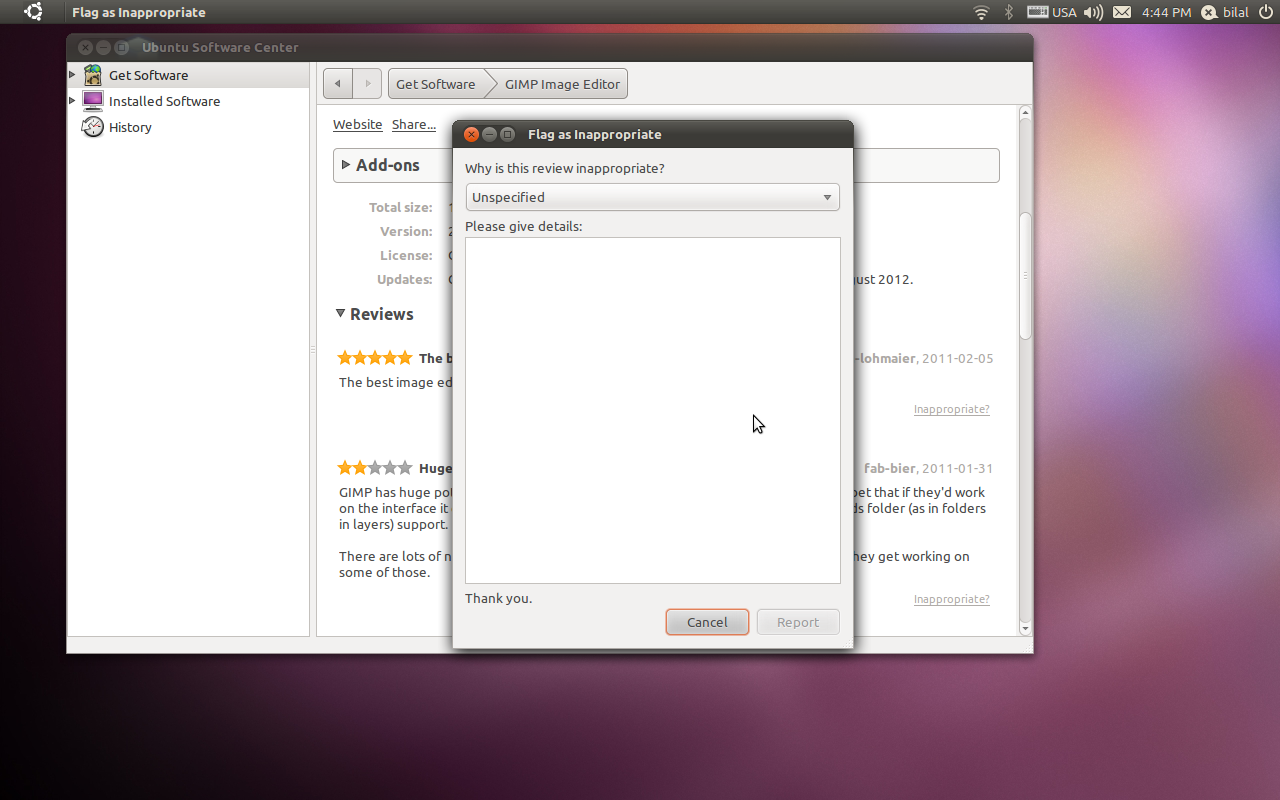


The report is submitted to the Software Center moderators for review, who assess such reports, and, if required, delete inappropriate reviews.

The home screen of Software Center now also shows star ratings for featured and new apps:


No big changes in today’s update, but it did bring the above Little Changes that Matter™.


Source

Firefox 4 RC coming next Friday

One year on since the first Alpha of Firefox 4 was made available for testing the worlds second most popular browser may finally have the finish line in sight.

In a post to the Mozilla Development Planning team, Mozilla developer Damon Sicore calls on the Firefox 4 development team to"…finish [the] last few bugs" in order to "…finish [the] RC by Feb 25th."

The release date depends on a ‘drive’ to fix a handful of ‘blocker bugs’ proving successful. In the intervening time a 12th beta of Firefox will be released for testing.

Earlier this month Mozilla announced intentions to release versions 5, 6 and 7 of  the flagship browser this year.


Source

Ubuntu 10.04.2 released


The second maintenance update of Ubuntu 10.04 LTS has been released.

Ubuntu 10.04 LTS will be supported with routine maintenance updates until April 2013 on desktops and April 2015 on servers.

The release integrates ‘numerous post-release updates’ including security updates and ‘corrections for high-impact bugs, with a focus on maintaining stability and compatibility with Ubuntu 10.04 LTS.’

A full Change log for Ubuntu 10.04.2 can be viewed on @ wiki.ubuntu.com/LucidLynx/ReleaseNotes/ChangeSummary/10.04.2

Download


Ubuntu 10.04.02 can be downloaded @ ubuntu.com/desktop/get-ubuntu/download

Related posts:
  1. Ubuntu 10.04.1 released
  2. ubuntu 10.04 lucid lynx release candidate released


Source

Navisurfer II serves up Ubuntu in a fresh way


Have you gone the extra mile to install Ubuntu on every device you possibly can, even your kitchen toaster? When you get yourself a shiny new car, is the first thing you do customize it? Then the Navisurfer II is just what you need to “pimp your ride”.

The Navisurfer II UBU-3G is a car PC that embeds into the dashboard of your vehicle. Notable features are HSDPA modem, Broadband TV & Radio, touch screen, GPS with Software & Maps. If you guessed Ubuntu 10.10 fuels the magic, then you my friend deserve chocolate.


Specifications

  • Processor: 1300 MHz (Intel Celeron M)
  • Hard Drive: 250 GB
  • Memory: 2GB DDR2
  • GPS receiver/GPS antenna (included) Navit Navigation System)
  • Double DIN
  • 3G HSDPA BroadBand Connection – Internet Radio & TV
  • Customized Ubuntu 10.10 for in car use
  • Bluetooth Connection (built in)

Connections

  • 3 x USB 2.0
  • 2 x PS2
  • 1 x Mic-in
  • 1 x Line-in
  • 1 x Line-out
  • 1 x Serial Port
  • 2 x DC 12V input
  • 2 x AV-in (Monitor only)
  • 1 x Rear View Camera auto switch


The OS is a customized version of Maverick; no Unity. It looks like a very odd quadrupole Gnome gnome panel with a launcher on the desktop. First, the right/left sides of the UI seem be dressed up panels. Second, there are two panels one on top the other at the bottom. And yes, why the cheap Gnome panel fish is there by default confuses me too. All defaults in 10.10 are include along with additions such as AMSN, Miro, the fish, etc.

The UI could use some work, a few rough edges and inconsistencies are visible just in this screen shot. Why Unity or even UNR wasn’t used is the question we should all be asking.

Installation


For those who know a little something about car audio systems, The Navisurfer II is a double DIN unit that works with 12V / 24V car batteries with adapter. If you don’t know, you can always learn how to change out a cars radio.

All-in-all, the entire setup should cost you only 300$.

For more information visit the official website.

No related posts.


Source

Work on Libre Office application menu support progressing

Alberto Ruiz from Codethink has posted a status update on the work he’s been doing on an extension to bring global application menu support to Libre Office.

With Firefox and Thunderbird work already well underway this is one of the final large pieces of global application menu support left to do.


Here’s the quick fullsize animated .gif of the menu in progress.

You can find the code at launchpad.net/lo-menubar. Alberto passes along that in its current state “that this is bleeding edge, expect zombie unicorns puking greyscaled rainbows”. When finished the extension will be made available in universe (and not turned on by default for Natty).


Source

Software Center adds ‘inappropriate rating’ link, and more


An update to Software Center in Ubuntu Natty brought a couple of changes to the ‘Ratings and Reviews’ feature, including the ability to mark a review inappropriate, disability to review an app if it isn’t installed, and many more.

Below are some screenshots (click the images to see larger versions):


Upon clicking the ‘Inappropriate?’ link this dialog opens:


The report is submitted to the Software Center moderators for review, who assess such reports, and, if required, delete inappropriate reviews.

The home screen of Software Center now also shows star ratings for featured and new apps:


No big changes in today’s update, but it did bring the above Little Changes that Matter™.


Source

Unity theme for DockBarX

They say that imitation is the sincerest form of flattery.

Serial designer – and perennial OMG! favourite – BigRZA has begun a work-in-progress theme for panel applet ‘DockBarX’ that aims to admirably ape the look and feel of Ubuntu 11.04′s Unity launcher, which is itself a work in progress.

The video below shows it in action.

Download


Download the theme @ http://bigrza.deviantart.com/art/unite-11-04-theme.

To add an ‘expose’ icon to your launcher (or Docky, etc.) see our quick tutorial here.

Source

Navisurfer II serves up Ubuntu in a fresh way


Have you gone the extra mile to install Ubuntu on every device you possibly can, even your kitchen toaster? When you get yourself a shiny new car, is the first thing you do customize it? Then the Navisurfer II is just what you need to “pimp your ride”.

The Navisurfer II UBU-3G is a car PC that embeds into the dashboard of your vehicle. Notable features are HSDPA modem, Broadband TV & Radio, touch screen, GPS with Software & Maps. If you guessed Ubuntu 10.10 fuels the magic, then you my friend deserve chocolate.


Specifications

  • Processor: 1300 MHz (Intel Celeron M)
  • Hard Drive: 250 GB
  • Memory: 2GB DDR2
  • GPS receiver/GPS antenna (included) Navit Navigation System)
  • Double DIN
  • 3G HSDPA BroadBand Connection – Internet Radio & TV
  • Customized Ubuntu 10.10 for in car use
  • Bluetooth Connection (built in)

Connections

  • 3 x USB 2.0
  • 2 x PS2
  • 1 x Mic-in
  • 1 x Line-in
  • 1 x Line-out
  • 1 x Serial Port
  • 2 x DC 12V input
  • 2 x AV-in (Monitor only)
  • 1 x Rear View Camera auto switch


The OS is a customized version of Maverick; no Unity. It looks like a very odd quadrupole Gnome gnome panel with a launcher on the desktop. First, the right/left sides of the UI seem be dressed up panels. Second, there are two panels one on top the other at the bottom. And yes, why the cheap Gnome panel fish is there by default confuses me too. All defaults in 10.10 are include along with additions such as AMSN, Miro, the fish, etc.

The UI could use some work, a few rough edges and inconsistencies are visible just in this screen shot. Why Unity or even UNR wasn’t used is the question we should all be asking.

Installation


For those who know a little something about car audio systems, The Navisurfer II is a double DIN unit that works with 12V / 24V car batteries with adapter. If you don’t know, you can always learn how to change out a cars radio.

All-in-all, the entire setup should cost you only 300$.

For more information visit the official website.

No related posts.


Source

Unity theme for DockBarX

They say that imitation is the sincerest form of flattery.

Serial designer – and perennial OMG! favourite – BigRZA has begun a work-in-progress theme for panel applet ‘DockBarX’ that aims to admirably ape the look and feel of Ubuntu 11.04′s Unity launcher, which is itself a work in progress.

The video below shows it in action.

Download


Download the theme @ http://bigrza.deviantart.com/art/unite-11-04-theme.

To add an ‘expose’ icon to your launcher (or Docky, etc.) see our quick tutorial here.


Source

Unity launcher icon size to be resizable?


The Unity Launcher may, after all, end up with a few user-adjustable settings.

A recent Unity launcher ‘hack’ by Andrea Azzarone allows icons on the  Unity launcher to re-sized. By dragging a simple slider within Unity’s CCSM settings page icons can be made as small as 32px or as big as 64px.
<br />The video below shows the feature in action.

Mark Shuttleworth has expressed interest in the feature, calling for it be reviewed for inclusion.

However issues pertaining to Unity’s recently added counters and progress bars are likely to affect any eventual outcome nf the feature being included.

Tip via Andrea Azzarone

Related posts:

  1. Unity Launcher API: ready when you are
  2. Natty’s Unity launcher adds icon theme support
  3. Docklet API ‘coming’ to Unity Launcher [updated]


Source

Ubuntu Pocket Reference app for Android

Being an avid user of Android I’m always on the hunt for Ubuntu related apps on the Market place.

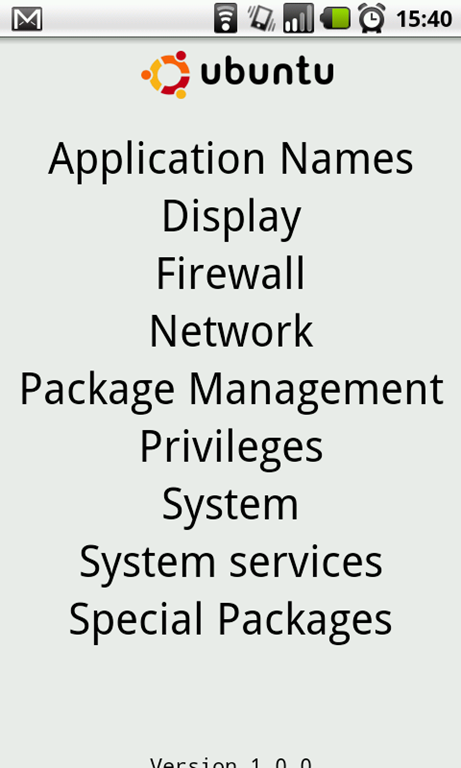
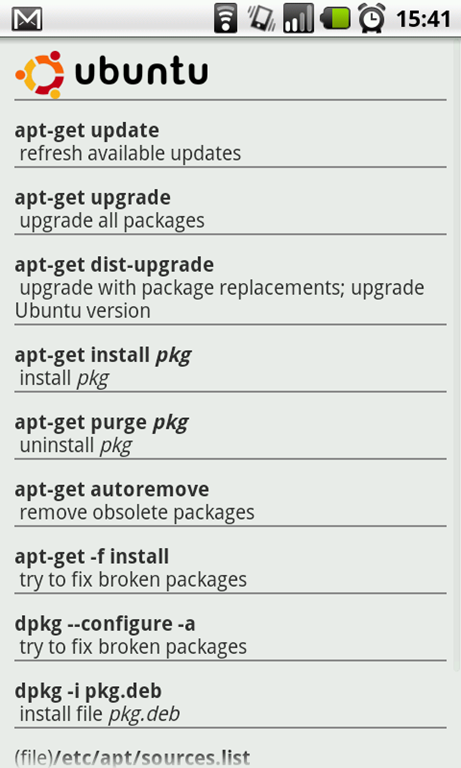
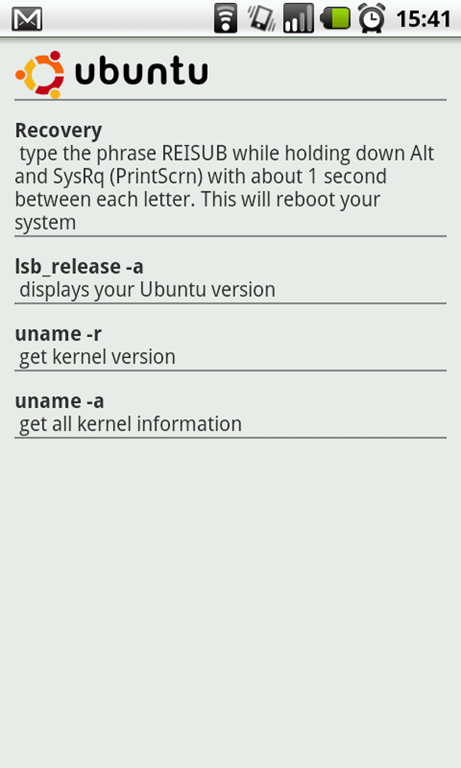
A few days ago I came across ‘Ubuntu pocket reference’ – a free application for Android that claims to list  ‘the most popular and most useful Ubuntu/Linux commands.’

snap20110216_154056snap20110216_154101snap20110216_154109

How good is it?


The guide is divided into sections – Firewall, System, Network, etc. This helps finding a command for a specific purpose so much easier than needing to wade through an index or perform a search.

Sadly this simplistic approach also hinders the app.

Being forever being at war with Wi-Fi dongles, I’d love have seen a more in-depth ‘Network’ section with examples of the commands in use.

Many of the commands within the guide are useful but a number are also out dated.

It’s hard to criticise a free application and this guide will certainly come in handy to those suddenly caught offline.  For me the lack of updated commands or command use-cases make ‘Android Pocket Reference’ a neat if rather irrelevant offering.

Download market.android.com/details?id=org.androidstack.ubuntu

qrcode

Source

2011-02-13

$25,000 Giveaway - Or Get a Free Blog Template

The newly launched ThemeForest is offering an amazing deal to 2,500 people. The First 2,500 to join and comment will win $10 and one of the 2,500 will win 25,000 dollars. So if you join fast, you'll receive $10, which you can transfer to your paypal account or which you can use to buy yourself a template.

ThemeForest is a newly launched website which offers all kinds of templates, such as Blogger Templates, Wordpress themes, HTML Templates, Flash sites and so on. If you're not interested in buying a template you can always design one and earn money buy selling it on their site.
How to Join the Contest?
  1. First you will need to sign up with ThemeForest, which should only take a moment.
  2. Next, visit the post over at PsdTuts, where they have a link to the short and sweet form you need to complete. PsdTuts is one of ThemeForest's many affiliates.
  3. Wait for a reply email, which will tell you when your money has been deposited.


Source